
how a payment gateway processes transactions? If you’ve ever run an online business, you know the excitement of seeing an order come in — and the frustration when a payment fails.
Many merchants sign up for a payment gateway without understanding what happens behind the scenes. Transactions don’t just magically move from your customer’s card to your account. There’s a series of steps, checks, and potential roadblocks that can cause confusion, delays, or declines.
Understanding how a payment gateway processes transactions helps you reduce failed payments, improve customer trust, and streamline your business.
Why Transactions Fail
Before diving into the process, it’s important to understand the common problems merchants face:
- Payment declines without explanation
- Long delays in settlement
- Confusion over fees and charges
- International payments getting blocked
- Fraud alerts and unnecessary holds
These issues often stem from a lack of transparency and knowledge about how online transactions flow.
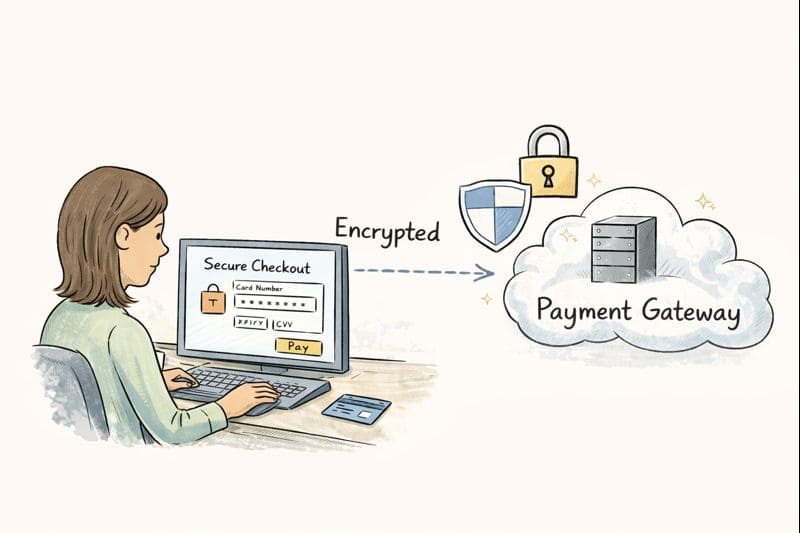
Step 1: Customer Enters Payment Information
When a customer clicks “Pay” on your website, they provide card information, usually through:
- Credit or debit card
- Mobile wallets
- Digital payment services
Merchant pain point: Many customers abandon checkout because they don’t trust the page or fear security risks.
Solution: Use a secure, branded checkout page (whether hosted or integrated) and clearly display trust signals like HTTPS, padlocks, and payment logos.
Step 2: Gateway Encrypts the Data
The payment gateway immediately encrypts the card information to protect it from hackers.
This encryption is what ensures that sensitive data doesn’t travel in plain text over the internet.
Merchant pain point: Some merchants worry about handling card details themselves.
Solution: Choose a gateway that handles encryption and PCI compliance, so you’re not liable for sensitive data.
Step 3: Authorization Request
The encrypted information is sent to the customer’s bank through the card network (Visa, Mastercard, etc.). The bank checks:
- Card validity
- Available funds
- Fraud alerts
The bank then approves or declines the transaction and sends the response back to the gateway.
Merchant pain point: Declines without explanation frustrate merchants and customers alike.
Solution: Work with gateways that provide detailed decline codes and recommendations for resolving them.
Step 4: Gateway Communicates with Your Merchant Account
Once approved, the payment gateway forwards the transaction to your merchant account, which temporarily holds the funds.
Merchant pain point: Some merchants are confused why funds aren’t instantly in their business account.
Solution: Understand settlement periods — most credit card transactions take 1–3 business days to settle.
Step 5: Confirmation and Receipt
The gateway notifies both the merchant and the customer that the transaction is complete. Depending on your setup:
- Hosted gateways redirect to a confirmation page
- Integrated gateways display confirmation inline on your site
Merchant tip: Always send email confirmations and keep a record of the transaction for dispute resolution.
Step 6: Handling Refunds and Chargebacks
Even after successful processing, merchants must know how to handle:
- Refunds: Returning money to a customer
- Chargebacks: Customer disputes with the bank
Gateways often provide dashboards to manage these, but being proactive reduces disputes and extra fees.
Merchant pain point: Fees and confusion around refunds and chargebacks.
Solution: Keep clear records, issue timely refunds, and choose a gateway with good support for disputes.
Why Understanding This Process Matters
Knowing how a payment gateway processes transactions helps merchants:
- Reduce failed payments
- Improve customer trust
- Avoid unnecessary fees
- Choose the right gateway setup
- Plan for international transactions
When you understand the steps, you can anticipate issues instead of reacting to them, saving time and money.
Final Thoughts
Every online transaction is a carefully orchestrated series of events — from encryption to authorization to settlement.
The more familiar you are with these steps, the better you can:
- Select a gateway that suits your business
- Optimize checkout to reduce abandonment
- Troubleshoot declines efficiently
Understanding payments isn’t just about processing money — it’s about creating smooth, trustworthy experiences for your customers and ensuring your business runs efficiently.